How to Reset Your Thermostat: Step-by-Step Guide
Most thermostats can be reset with a breaker power cycle, fresh batteries or a menu option. Here is the safe order to try them, and the signs that a reset won't fix it.
Before you reset anything
Most "thermostat problems" are fixed by checking three things first: the mode (Heat, Cool or Off), the set temperature, and the power. Resetting erases schedules and sometimes Wi-Fi settings, so rule out the simple causes before you start.
- Make sure the thermostat is set to Heat or Cool, not Off, and that the set temperature is above (for heat) or below (for cooling) the room temperature.
- If the screen is blank or dim, replace the batteries if your model uses them.
- Check the HVAC breaker in the electrical panel and the switch near the indoor unit or furnace, which looks like a light switch.
How to reset most thermostats
Every brand is a little different, so keep your model's manual handy (the model number is usually on the back of the faceplate). These are the common methods:
- Power cycle: turn the HVAC breaker off for 30 seconds, then back on. Many thermostats restart and clear a temporary fault.
- Battery reset: on battery models, take the batteries out for about a minute, then put fresh ones in.
- Menu reset: most digital and smart thermostats have a reset option in the settings menu, often called "Reset," "Restart" or "Factory reset." Restart keeps your settings; factory reset erases them.
- Reset button: some older programmable models have a small recessed button; press it with a paperclip for a few seconds.
After any reset, wait at least three to five minutes before expecting the system to start. Many thermostats and outdoor units have a built-in delay that protects the compressor. See the 3-minute rule.
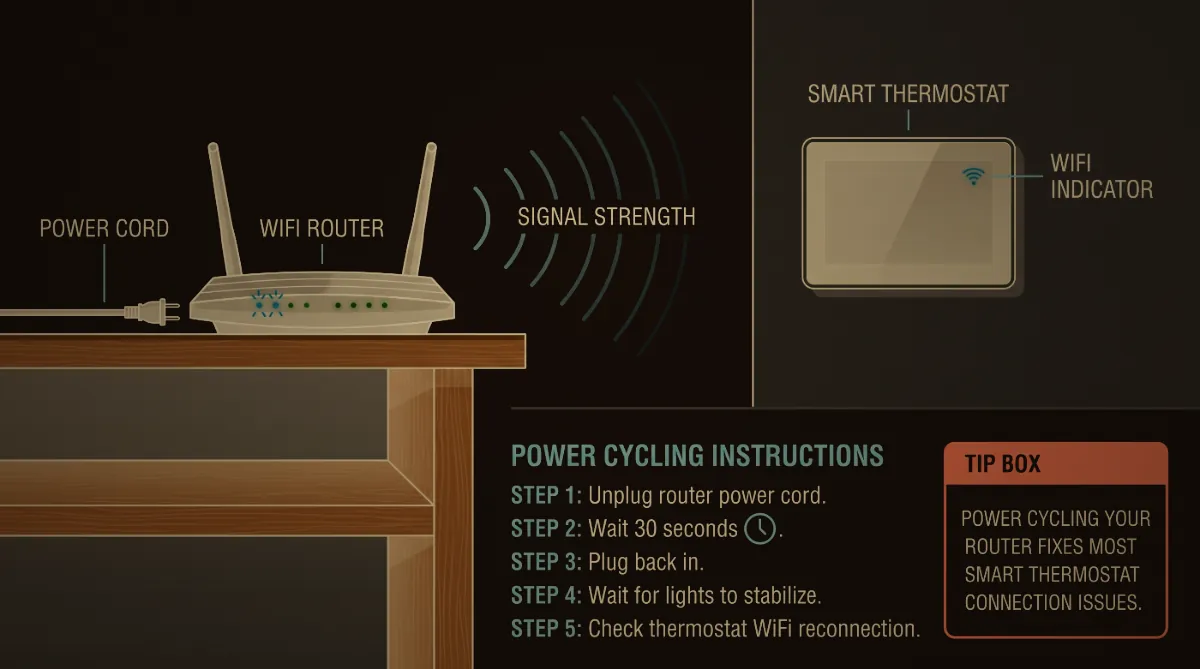
Smart and Wi-Fi thermostats
If a smart thermostat loses Wi-Fi, the system usually still runs on the settings stored in the thermostat. Reconnect it through the thermostat's network menu or the brand's app. A factory reset should be the last step, because it can erase the setup that tells the thermostat what kind of system you have (heat pump, gas furnace, number of stages). A wrong setup after a reset can make a heat pump run on backup heat or stop cooling.
When a reset won't fix it
Call a technician if, after a reset and a few minutes' wait:
- The screen works but the system never starts, or the indoor fan runs with no heating or cooling.
- The breaker trips again.
- You smell gas or burning, or a carbon monoxide alarm sounds. Leave the house and call 911 or the gas company first.
- The display shows AUX or EM heat for hours on a heat pump. See EM heat vs. heat.
Cowboy's diagnoses and replaces thermostats, and dispatch answers 24/7 at (210) 495-7771. See thermostat service.
Frequently asked questions
How do I reset my thermostat?
Turn the HVAC breaker off for 30 seconds and back on, or replace the batteries, or use the Reset or Restart option in the thermostat's menu. Then wait three to five minutes for the system to start.
Will resetting my thermostat erase my schedule?
A restart or power cycle usually keeps settings. A factory reset erases schedules and setup, including the system type, so use it last.
Why is my thermostat on but the AC or heat won't turn on?
Check the mode, the set temperature, the breaker and the switch at the indoor unit, then allow the built-in delay of a few minutes. If it still won't start, a technician should test the system.
How long should I wait after resetting a thermostat?
At least three to five minutes. Many systems delay restarting to protect the compressor.
Can a bad thermostat stop my heater from working?
Yes. A failed thermostat, loose wire or wrong setup can keep the system from starting. A technician can test whether the thermostat or the equipment is the problem.
Related service: heat pump repair in San Antonio · heating repair in San Antonio · thermostat service. Cowboy's AC answers 24/7 at (210) 495-7771.